
Date Calculator – Add or Subtract Days
Add or subtract any number of calendar days or business days to find the exact resulting calendar date, day of the week, and year.
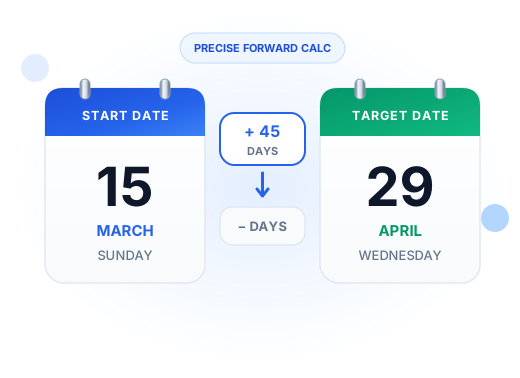
Add or Subtract Days from a Date with Precision
When you are given a contractual deadline or project requirement—such as “30 days from today”, “60 days notice”, or “90 business days warranty”—calculating the target date manually across months of varying lengths is prone to calendar errors. Our free date calculator and days from calculator provides instant, verified date addition and subtraction.
Verified Practical Date Addition & Subtraction Scenarios
Reference these common everyday date addition and subtraction applications in the United States:
| Requirement | Duration | Counting Mode | Typical Application |
|---|---|---|---|
| FOIA Response Window | 20 Business Days | Business Days | Federal agencies must provide initial determinations within 20 working days under 5 U.S.C. 552. |
| Standard Lease Notice | 30 or 60 Days | Calendar Days | Standard residential lease non-renewal or termination notice requirements. |
| Commercial Payment Terms | 30, 60, or 90 Days | Calendar Days | Net 30, Net 60, or Net 90 invoice payment schedules and accounting terms. |
| USCIS Request for Evidence (RFE) | 87 Days | Calendar Days | Standard federal immigration evidentiary response windows. |
| Corporate 10-K Annual Filing | 60 to 90 Days | Calendar Days | Mandatory public company SEC reporting window following fiscal year close. |
How the Date Addition Algorithm Works
Adding and subtracting days across the calendar requires strict algorithmic precision:
- Calendar Day Addition & Subtraction: Steps forward or backward through Gregorian calendar months, seamlessly adjusting between 28, 29, 30, and 31-day lengths.
- Leap-Year Calculations: Properly accounts for February 29 during leap years (such as 2024 and 2028).
- Business Days Mode: Advances day by day, systematically skipping Saturdays, Sundays, and official observed US federal holidays until the required number of working days is satisfied.
Looking Back: Calculating Days Ago & Past Milestones
Using the subtraction mode allows you to easily discover what date fell a specific number of days ago (e.g., “what was the date 90 days ago?”). This is especially valuable for auditing financial records, reviewing medical symptoms, or verifying statutory lookback periods.
Related Date Arithmetic Tools
Explore our companion calculators for additional date calculation tasks:
Day of Year Calculator
Find today's day number and see how many days have passed this year.
Days Between Dates Calculator
Measure the exact duration between two fixed calendar dates.
Business Days Calculator
Calculate working days between two dates, excluding weekends and US holidays.
Days Since Calculator
Calculate elapsed days and weeks since a past event or date.
Date Calculator FAQ
Enter your starting date, choose the “Add (+)” operation, enter the number of days, and select whether to count calendar days or business days. Click “Calculate Date” to view the resulting date and day of the week.
Yes! Select “Subtract (-)” from the Operation dropdown. The calculator steps backward through the calendar to find the exact past date.
When selecting “Business Days Only”, the calculator skips every Saturday, Sunday, and recognized US federal holiday. For example, adding 5 business days to a Friday yields the following Friday.
Yes. The result card displays the exact day of the week (e.g. “Thursday, November 26, 2026”) alongside the formatted date.