
Days Between Dates Calculator
Calculate the exact number of calendar days, full weeks, and total hours between any two dates on the Gregorian calendar.
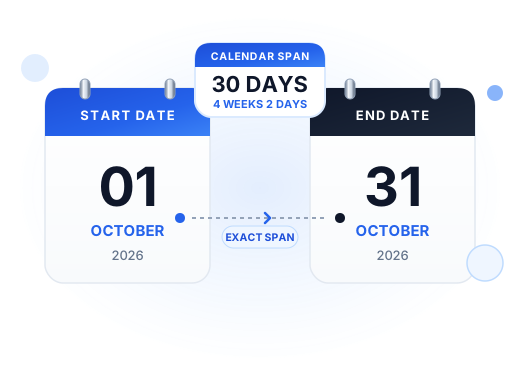
How to Calculate Days Between Two Dates
Finding the exact span of time between two calendar dates is essential for contract notice periods, project sprints, rental leases, billing cycles, and travel itineraries. Our days between dates calculator eliminates manual calendar counting and prevents errors caused by varying month lengths and leap years.
Start and End Date Counting: Inclusive vs. Exclusive Rules
When using a day counter between dates, the most critical decision is whether to include or exclude the boundary dates:
- Exclusive Counting (Default): Calculates the pure calendar difference by subtracting the start date from the end date. For example, from Monday, October 1 to Thursday, October 4 is exactly 3 days (Tuesday, Wednesday, and Thursday). This convention is universally applied in financial interest calculations, hotel night stays, and age calculations.
- Inclusive Counting: Counts both the starting date and the ending date as active days, adding 1 day to the exclusive total. In the example above, Monday, Tuesday, Wednesday, and Thursday would total 4 days. This rule is standard for multi-day conventions, vacation passes, and rental equipment rentals.
Leap-Year Calculations Between Dates
A frequent source of manual calculation error is the extra day in February during leap years. In a standard year, February contains 28 days; in a leap year (such as 2024, 2028, and 2032), February has 29 days. If your date interval spans February 28 to March 1 during a leap year, our calculator accurately returns 2 days rather than 1 day.
Calendar Days vs. Workdays
It is important to recognize when your schedule requires calendar days between dates versus working business days:
| Measurement | What Is Counted | Primary Use Cases |
|---|---|---|
| Calendar Days | Every consecutive 24-hour day (including weekends and holidays) | Lease agreements, medication courses, warranty periods, travel reservations |
| Business Days | Mondays through Fridays only (excluding weekends and US federal holidays) | Court litigation deadlines, commercial escrow periods, bank clearing, shipping schedules |
If you need to exclude Saturdays, Sundays, and official federal holidays, use our specialized Business Days Calculator.
Practical Date Calculation Examples
| Application | Counting Mode | Why This Convention Matters |
|---|---|---|
| Hotel & Lodging Stays | Exclusive | Guests pay per night stayed. A reservation from Friday to Sunday is 2 nights, not 3 days. |
| Prescription & Medication Courses | Inclusive | A 10-day antibiotic course taken from Monday morning through the following Wednesday requires 10 active treatment days. |
| Statutory Contract Notice Periods | Exclusive | Federal and state procedural rules typically exclude the day of the act or event from which the period begins to run. |
Related Calculators
Explore our other date arithmetic tools to solve specific scheduling needs:
Business Days Calculator
Exclude weekends and all 11 official US federal holidays automatically with observed rules.
Date Calculator (+/- Days)
Add or subtract any number of calendar days or business days from a starting date.
Days Since Calculator
Measure elapsed time, full weeks, and milestones since any past anniversary or milestone.
Guide: How to Count Days
Detailed mathematical formula breakdown for spreadsheets (Excel, Google Sheets) and manual counts.
Days Between Dates FAQ
Convert both dates to UTC zero-hour calendar timestamps and subtract the start date from the end date. Check the “Include End Date” box if your scenario requires both the start and end dates to be counted.
Our calculator algorithm checks whether February 29 falls within the selected date range and automatically incorporates the 366-day leap year calculation.
If the start date is later than the end date, the calculator detects the reversal, computes the absolute duration between them, and alerts you that the dates were inverted.
Yes! Click “Copy Result” to copy a formatted summary to your clipboard, or click “Share Link” to generate a deep URL with your prefilled dates.